
StarTech.com USB-C DOCK - 60W PD WINDOWS DUAL MONITOR
DUAL MONITOR USB C DOCK - FOR WINDOWS LAPTOPS - 4K MST - WITH 60W POWER DELIVERY (USB PD) - LAPTOP DOCKING STATION
- Brand: StarTech.com
- Category: Notebook Accessories
- SKU: 4142935
- MPN: MST30C2HHPD
StarTech.com
StarTech.com Dual Monitor USB C Docking Station with 60W Power…
- SKU
- CNZ-IM-043947
- MPN
- MST30C2HHPD
- Rating
- No reviews yet
−44%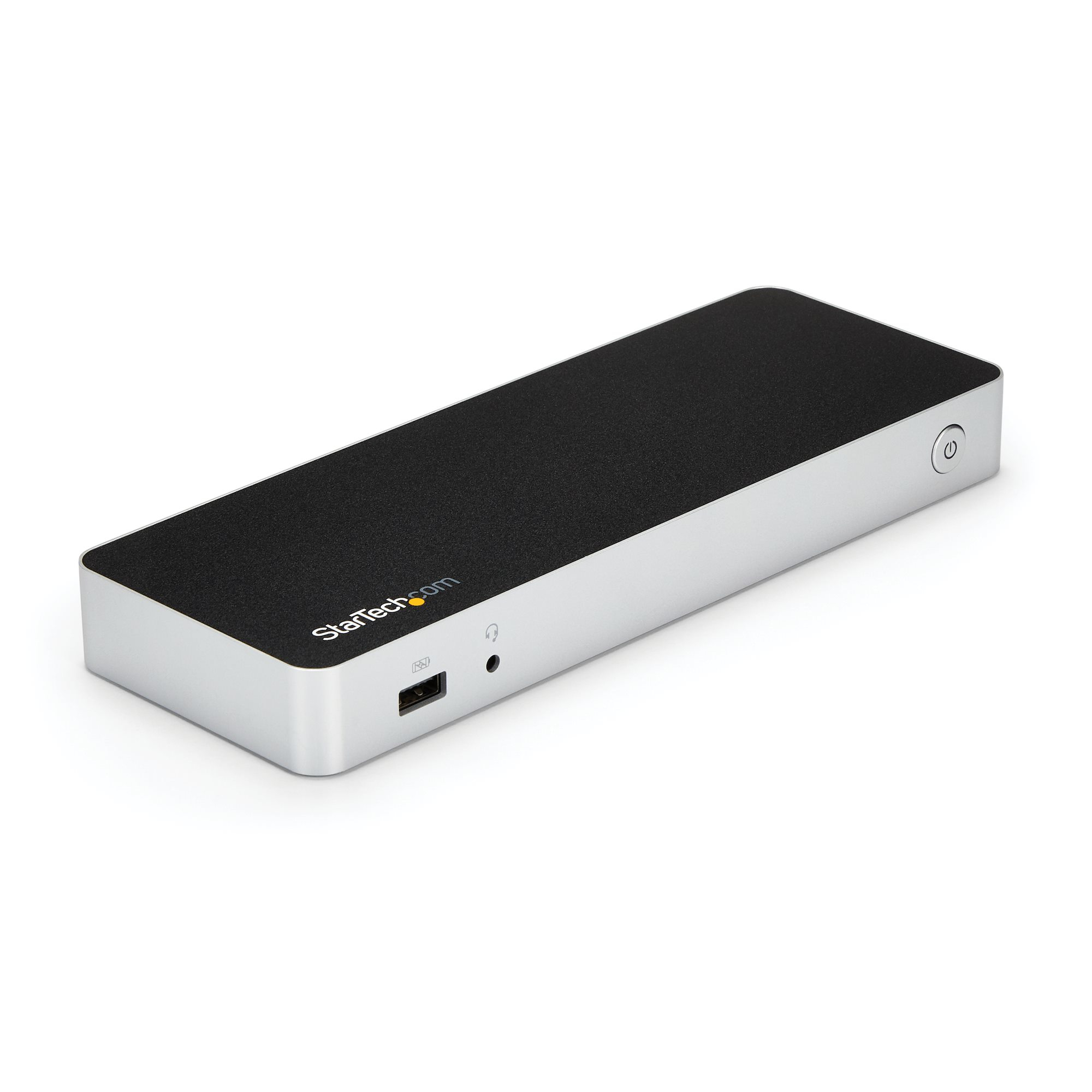
Overview
Laptop Docking Station | 60W PD | Dual HDMI/DVI | No Display Driver Setup
Enhance your productivity by turning your Windows® USB-C™ laptop into a full-scale workstation. This dual-monitor USB-C dock lets you easily connect two HDMI monitors or DVI monitors (with included adapters) using one USB-C cable, with no setup of display drivers required right out of the box. The USB-C dock provides 60W charging power, and five USB 3.0 ports to connect devices. With easy dual-monitor setup, the dock is ideal for wide-scale use in office workstations.
Create a Dual-Monitor Workstation
The USB-C dock lets you connect dual monitors with flexible options. Connect to:
• 2x HDMI or 2x DVI displays at 1920 x 1200p @ 60Hz
• 1x HDMI + 1x DVI display
You can also connect a single 4K HDMI display.
Connect More Devices
Unlike some USB-C docks that may drop to USB 2.0 and limit Ethernet performance, this USB Type-C™ dock offers full USB 3.0 and network bandwidth. This provides faster data transfer speeds when using your USB 3.0 peripherals and supports true Gigabit Ethernet network throughput.
This USB Type-C docking station gives you five USB 3.0 ports (1x USB-C and 4x USB-A including 1x Fast-Charge), a Gigabit Ethernet port (PXE Boot support), plus audio and microphone connections.
60W Charging Power
The USB-C docking station with Power Delivery will power and charge (up to 60W) your laptop, while powering your devices.
Fast, Easy Setup
The dock features automatic driver installation for easy setup. It works with Windows based laptops with a USB-C port that supports DP Alt Mode and USB Power Delivery.
Enhance Productivity and Device Management with the StarTech.com Connectivity Tools Application
Developed to improve performance and security, StarTech.com Connectivity Tools is the only software suite on the market that works with a wide range of IT connectivity accessories. The software suite includes:
•
Advanced Windows Layout Utility : To setup and save custom windows layouts.
•
Mac Address Pass-Through Utility : To improve network security.
•
USB Event Monitoring Utility : To track and log connected USB devices
•
Wi-Fi Auto Switch Utility : Enabling users to quickly access faster network speeds via wired LAN.
For more information and to download the StarTech.com Connectivity Tools application, please visit: www.StarTech.com/Connectivity-Tools
Notes:
• Ensure your laptop’s drivers, firmware, and operating system are current prior to using the docking station.
• Video output capabilities depend on the video card and hardware specifications of the connected laptop.
• Not all USB-C ports support the full functionality of the USB Type-C standard. Ensure that your laptop’s USB-C port supports DP Alt Mode and USB Power Delivery for the full functionality of the USB Type-C standard.
• Not all Thunderbolt 3 USB-C ports support the full functionality of the Thunderbolt 3 standard. Ensure that your laptop Thunderbolt 3 port supports USB Power Delivery.
The StarTech.com Advantage
Enhance your productivity by turning your Windows® USB-C™ laptop into a full-scale workstation. This dual-monitor USB-C dock lets you easily connect two HDMI monitors or DVI monitors (with included adapters) using one USB-C cable, with no setup of display drivers required right out of the box. The USB-C dock provides 60W charging power, and five USB 3.0 ports to connect devices. With easy dual-monitor setup, the dock is ideal for wide-scale use in office workstations.
Create a Dual-Monitor Workstation
The USB-C dock lets you connect dual monitors with flexible options. Connect to:
• 2x HDMI or 2x DVI displays at 1920 x 1200p @ 60Hz
• 1x HDMI + 1x DVI display
You can also connect a single 4K HDMI display.
Connect More Devices
Unlike some USB-C docks that may drop to USB 2.0 and limit Ethernet performance, this USB Type-C™ dock offers full USB 3.0 and network bandwidth. This provides faster data transfer speeds when using your USB 3.0 peripherals and supports true Gigabit Ethernet network throughput.
This USB Type-C docking station gives you five USB 3.0 ports (1x USB-C and 4x USB-A including 1x Fast-Charge), a Gigabit Ethernet port (PXE Boot support), plus audio and microphone connections.
60W Charging Power
The USB-C docking station with Power Delivery will power and charge (up to 60W) your laptop, while powering your devices.
Fast, Easy Setup
The dock features automatic driver installation for easy setup. It works with Windows based laptops with a USB-C port that supports DP Alt Mode and USB Power Delivery.
Enhance Productivity and Device Management with the StarTech.com Connectivity Tools Application
Developed to improve performance and security, StarTech.com Connectivity Tools is the only software suite on the market that works with a wide range of IT connectivity accessories. The software suite includes:
•
Advanced Windows Layout Utility : To setup and save custom windows layouts.
•
Mac Address Pass-Through Utility : To improve network security.
•
USB Event Monitoring Utility : To track and log connected USB devices
•
Wi-Fi Auto Switch Utility : Enabling users to quickly access faster network speeds via wired LAN.
For more information and to download the StarTech.com Connectivity Tools application, please visit: www.StarTech.com/Connectivity-Tools
Notes:
• Ensure your laptop’s drivers, firmware, and operating system are current prior to using the docking station.
• Video output capabilities depend on the video card and hardware specifications of the connected laptop.
• Not all USB-C ports support the full functionality of the USB Type-C standard. Ensure that your laptop’s USB-C port supports DP Alt Mode and USB Power Delivery for the full functionality of the USB Type-C standard.
• Not all Thunderbolt 3 USB-C ports support the full functionality of the Thunderbolt 3 standard. Ensure that your laptop Thunderbolt 3 port supports USB Power Delivery.
The StarTech.com Advantage
Key features
- Connectivity technology: Wired
- Host interface: USB 3.2 Gen 1 (3.1 Gen 1) Type-C
- USB 3.2 Gen 1 (3.1 Gen 1) Type-A ports quantity: 4
- USB 3.2 Gen 1 (3.1 Gen 1) Type-C ports quantity: 1
- USB Power Delivery (USB PD): Yes
- USB Power Delivery up to: 60 W
- HDMI ports quantity: 2
- Combo headphone/mic port: Yes
- Headphone outputs: 1
- Headphone connectivity: 3.5 mm
- Ethernet LAN: Yes
- Ethernet LAN (RJ-45) ports: 1
- Ethernet LAN data rates: 10,100,1000 Mbit/s
- Auto MDI/MDI-X: Yes
- Full duplex: Yes
- Card reader integrated: No
- Data transfer rate: 5 Gbit/s
- Maximum digital resolution: 4096 x 2160 pixels
- Product colour: Black, Silver
- Plug and Play: Yes
- UASP support: Yes
- Housing material: Plastic
- Certification: CE, FCC, REACH
- Power source type: AC
Specifications
Power
| Power source type | AC |
|---|---|
| AC input voltage | 100 - 240 V |
| Input current | 2 A |
| Output voltage | 20 V |
| Output current | 5 A |
| Power consumption (typical) | 100 W |
| Power plug type | Type N |
| Compatible power plug types | AU, JP, US |
Network
| Ethernet LAN | Yes |
|---|---|
| Ethernet LAN (RJ-45) ports | 1 |
| Ethernet LAN data rates | 10,100,1000 Mbit/s |
| Auto MDI/MDI-X | Yes |
| Full duplex | Yes |
Software
| Windows operating systems supported | Windows 10, Windows 10 Education, Windows 10 Education x64, Windows 10 Enterprise, Windows 10 Enterprise x64, Windows 10 Home, Windows 10 Home x64, Windows 10 IOT Core, Windows 10 Pro, Windows 10 Pro x64, Windows 7, Windows 7 Enterprise, Windows 7 Enterprise x64, Windows 7 Home Basic, Windows 7 Home Basic x64, Windows 7 Home Premium, Windows 7 Home Premium x64, Windows 7 Professional, Windows 7 Professional x64, Windows 7 Starter, Windows 7 Starter x64, Windows 7 Ultimate, Windows 7 Ultimate x64, Windows 8, Windows 8 Enterprise, Windows 8 Enterprise x64, Windows 8 Pro x64, Windows 8 x64, Windows 8.1, Windows 8.1 Enterprise, Windows 8.1 Enterprise x64, Windows 8.1 Pro, Windows 8.1 Pro x64, Windows 8.1 x64 |
|---|
Performance
| Card reader integrated | No |
|---|---|
| Data transfer rate | 5 Gbit/s |
| Maximum digital resolution | 4096 x 2160 pixels |
| Product colour | Black, Silver |
| Plug and Play | Yes |
| UASP support | Yes |
| Housing material | Plastic |
| Certification | CE, FCC, REACH |
Logistics data
| Products per master (outer) case | 6 pc(s) |
|---|---|
| Master (outer) case width | 285 mm |
| Master (outer) case length | 330 mm |
| Master (outer) case height | 305 mm |
Other features
| Chipset | VIA/VLI - VL813, MegaChips - STDP4320, Realtek - RTL8153, C-Media - CM6533, Texas Instruments - TPS65983 |
|---|
Packaging data
| Quantity per pack | 1 pc(s) |
|---|---|
| Package width | 265 mm |
| Package depth | 158 mm |
| Package height | 90 mm |
| Package weight | 1.4 kg |
Packaging content
| Cables included | USB |
|---|---|
| AC adapter included | Yes |
| Quick start guide | Yes |
Technical details
| Compliance certificates | RoHS |
|---|
Ports & interfaces
| Connectivity technology | Wired |
|---|---|
| Host interface | USB 3.2 Gen 1 (3.1 Gen 1) Type-C |
| USB 3.2 Gen 1 (3.1 Gen 1) Type-A ports quantity | 4 |
| USB 3.2 Gen 1 (3.1 Gen 1) Type-C ports quantity | 1 |
| USB Power Delivery (USB PD) | Yes |
| USB Power Delivery up to | 60 W |
| HDMI ports quantity | 2 |
| Combo headphone/mic port | Yes |
| Headphone outputs | 1 |
| Headphone connectivity | 3.5 mm |
Weight & dimensions
| Width | 80 mm |
|---|---|
| Depth | 220 mm |
| Height | 24 mm |
| Weight | 258 g |
Operational conditions
| Operating temperature (T-T) | 0 - 40 °C |
|---|---|
| Storage temperature (T-T) | -20 - 70 °C |
| Operating relative humidity (H-H) | 5 - 95% |
Questions
$285.19inc GST